More from your notch.
Keep your Tasks and Pomodoro timer right where you need them.
3-day free trial · One-time purchase · macOS 15.6+
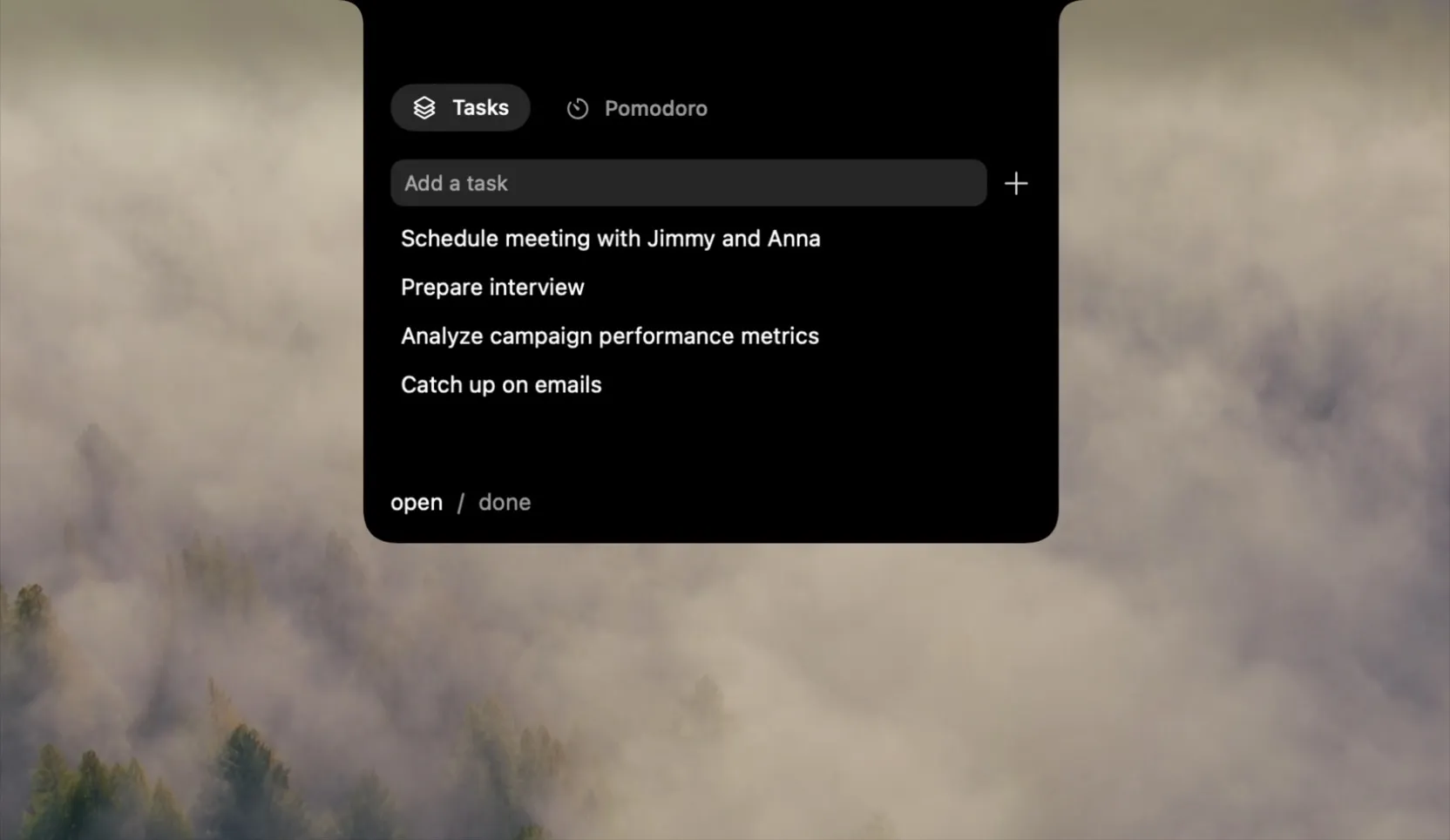
Mosaik sits in your notch. Hover to open, move away to close. It stays out of your way until you need it.

Tasks
Organize your work with a simple to-do list. Add them, mark them done when finished.

Pomodoro
Stay focused with timed focus and break cycles. You'll get notified when it's time to switch.
Frequently Asked Questions
What are the system requirements?
Mosaik requires macOS 15.6+. It works with any Mac, a notch is not required.
Is a notch required?
No, Mosaik works both on screens with notch and without.
On how many devices can I install Mosaik?
You can use Mosaik on up to 2 devices.
How long does the trial last?
It lasts for 3 days after initial launch of Mosaik. Afterwards purchasing a license is required.
What does one-time purchase mean?
You pay once for a lifetime license to Mosaik.
How do I recover, transfer or manage my license?
Log in to Polar Portal to recover/manage your license or deactivate your old device. After deactivating, you can activate your license on your new device.
Who is Polar?
Polar is the payment and license provider Mosaik uses to process purchases and manage licenses. You may see Polar on your receipt after buying Mosaik.
Can I get a refund?
Within 14 days of purchase you can request a refund, just send an email to hi@mosaiknotch.com.
What do I do if I have a problem or question?
You can get in touch via email at hi@mosaiknotch.com.
Ready to try Mosaik?
Download the free trial or buy the full version with a one-time purchase.
3-day free trial · One-time purchase · macOS 15.6+